Temp Mail: Free Disposable Temporary Email Generator
Temp Mail: Free Disposable Temporary Email Generator
Have you ever thought about how many marketing lists your main email is on? Every time you sign up for something new, you risk sharing your personal info with unwanted digital junk.
A Temporary Email Address is a smart way to surf the web safely. It acts as a protective shield, letting you sign up for sites without worrying about spam.

With a Disposable Email, you control your digital trail. Our guide shows how a Temp Mail service keeps your online identity safe and secure.
Key Takeaways
- Protect your primary inbox from unwanted marketing spam.
- Enhance your online privacy by hiding your real contact details.
- Use short-term addresses for quick website registrations.
- Reduce the risk of data breaches affecting your personal accounts.
- Enjoy a clutter-free digital experience with simple, automated tools.
What is Temp Mail?
A Temp Mail service protects your personal info from unwanted eyes. When you're online, you often need to give out your email. But, this can lead to spam and security issues.
With a Temporary Email Service, you can keep your real email safe. It acts as a shield, letting you use the web without sharing your real identity.
Understanding Temporary Email Services
A Temporary Mailbox is made to be used once and then thrown away. You can create an address quickly, use it, and then forget it. This keeps your main email inbox clean and spam-free.
"Privacy is not an option, and it should not be the price we pay for just accepting internet services."
These services are key for those who care about their online privacy. They help keep your personal info safe from unwanted hands.
Key Features of Temp Mail
The main benefit of Temp Mail is how easy and fast it is. You can get a new email address in seconds. Here's how it compares to regular email services.
| Feature | Traditional Email | Temporary Email Service |
|---|---|---|
| Account Creation | Requires personal data | Instant and anonymous |
| Inbox Longevity | Permanent | Short-term/Disposable |
| Spam Risk | High | None |
| Primary Use | Personal communication | One-time registrations |
Using a Temporary Mailbox lets you explore the web freely. You control your data and get quick access to online resources.
Why Use Disposable Email?
Keeping your digital identity safe starts with your email address. In today's world, data harvesting is common. So, it's wise to keep your main contact info hidden. A disposable email acts as a shield, separating your private life from the online world.
https://www.youtube.com/watch?v=_oPNdCL1OHE
Protecting Your Privacy Online
Many websites ask for an email just to see content or download files. Sadly, they often sell your info to data brokers. A fake email lets you skip these steps without revealing your real identity.
This method helps avoid phishing scams that come from data breaches. With a throwaway email, your real account stays safe. It's a simple way to keep your online life private.
Reducing Spam in Your Inbox
Dealing with unwanted marketing emails is a big hassle. Signing up for something temporary can lead to endless spam. A disposable email blocks this spam from reaching your main inbox.
Using a fake email for temporary needs keeps your main account clean. You won't have to deal with endless newsletters or junk mail. A throwaway email keeps your digital space organized and spam-free.
| Feature | Primary Email | Disposable Email |
|---|---|---|
| Privacy Level | Low | High |
| Spam Risk | High | None |
| Longevity | Permanent | Temporary |
| Best Use Case | Personal/Work | One-time Sign-ups |
How Temp Mail Works
Understanding online privacy starts with knowing how these platforms work. Setting up a Temporary Email Address is easy. You don't need to fill out forms or give out personal info. Just start using it right away.
Creating a Temporary Email Address
When you open a temp mail page, a unique address is created for you instantly. This means no time wasted on forms. Just copy the address and use it for email verification.
This One-time Email keeps your real identity safe. The service handles the backend, so you can focus on your task. Your Disposable Inbox is ready to receive data right away.
Receiving Emails with Temp Mail
These services are made for quick use. Verification codes and links show up on the provider's page instantly. You don't need to keep refreshing your browser.
Using a One-time Email keeps your main inbox clean. This Disposable Inbox acts as a safe middle ground. You can view and copy messages without sharing your personal info.
| Feature | Standard Email | Temp Mail |
|---|---|---|
| Account Setup | Required | None |
| Privacy Level | Low | High |
| Message Lifespan | Permanent | Temporary |
| Primary Use | Personal/Work | Verification |
Benefits of Using Temp Mail
Keeping your identity safe starts with how you handle your online messages. In today's world, where data collection is common, a Temp Mail service is a key protector of your personal info.
By hiding your real email, you lower the chance of your data being sold to advertisers. This step keeps your online presence small and easy to control.
Anonymity and Security
Using a Temporary Mailbox greatly increases your online privacy. When you deal with unknown sites, you risk sharing your real identity or email.
A Temporary Mailbox keeps your private info safe. Even if a site you signed up for gets hacked, your main account is protected because it's not connected to that site.

Convenience for Sign-Ups
A Disposable Inbox makes signing up for services easy. You can join many sites without cluttering your main email. This way, you can verify accounts or get to special content without getting spammed later.
This method keeps your main email clean and focused on important messages. Using a Disposable Inbox is a smart way to stay organized online while trying new tools.
| Feature | Traditional Email | Temp Mail |
|---|---|---|
| Privacy Level | Low | High |
| Spam Risk | High | None |
| Account Lifespan | Permanent | Temporary |
| Data Security | Vulnerable | Protected |
Common Uses for Disposable Emails
Disposable emails are surprisingly useful in our daily online lives. They help keep your personal info safe by separating it from the many sites that ask for your email. With a one-time email, you can still join the digital world without risking your main inbox.
Registering for Online Services
Developers and QA testers use these emails to test without messing up their work emails. They create a fake email to check how well new features work. This is key to making sure everything is perfect before it's shared with everyone.
Social media managers also love these emails. They use them to manage lots of accounts without making a mess. This way, they keep their work organized and protect their real email from getting too much traffic.
"Privacy is not about hiding; it is about having the power to selectively reveal yourself to the world."
Accessing Free Trials
Many sites ask for an email just to let you see special content or start a free trial. A one-time email lets you skip this step. You can try out the service without giving up your real email.
This trick is great for avoiding spam. If you just need to download something or try a tool, a fake email is perfect. It keeps your inbox clean while you enjoy the service.
- Testing software functionality without account bloat.
- Accessing gated content like whitepapers or e-books.
- Managing multiple social media profiles for marketing.
- Protecting your primary identity from data breaches.
Temp Mail vs. Traditional Email
Traditional email is like your digital home. A Disposable Email is like a temporary pass. You choose based on whether you need something permanent or just for a quick, private chat.

Pros and Cons of Disposable Emails
Throwaway emails are great for quick, private tasks. They don't ask for your personal info, keeping your main inbox clean.
But, they have some downsides:
- Instant Deletion: Your data is erased when you're done.
- Limited Access: Some sites block these emails, so you can't get codes.
- No Recovery: If you lose a password or document, it's gone for good.
When to Choose Temp Mail
Use a throwaway email when you need to see content or download something without giving your real email. It's great for avoiding spam and keeping your data safe.
For banking, work emails, or social media, stick with your usual Gmail or Outlook. A Disposable Email isn't for keeping things long-term or proving who you are.
| Feature | Traditional Email | Disposable Email |
|---|---|---|
| Longevity | Permanent | Short-term |
| Privacy | Low | High |
| Reliability | High | Variable |
Knowing the differences helps keep your digital life tidy and safe. Pick the right tool for the task to keep your main inbox organized and secure.
How to Access Temp Mail
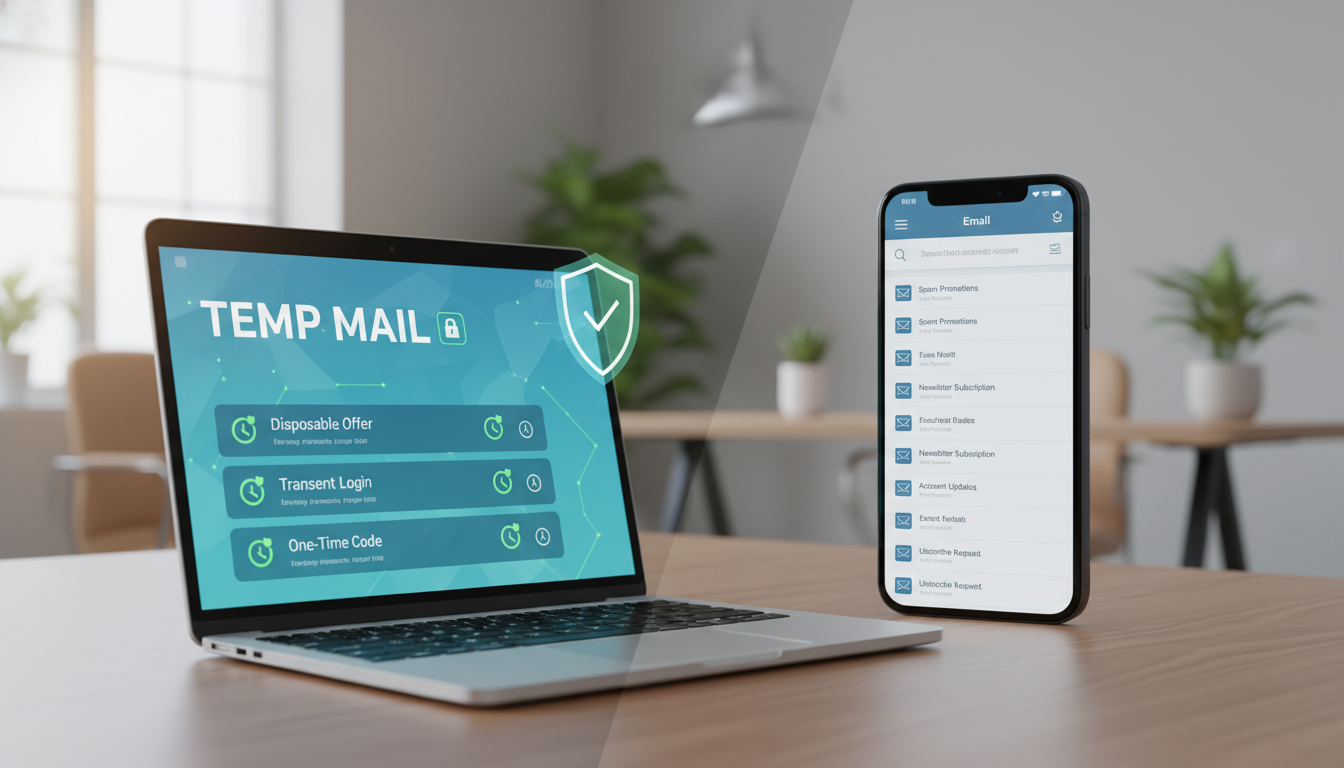
Accessing a temporary email service is easy, whether you're at your desk or on the go. Most services are designed to be simple, so you can keep your digital identity safe. You won't face complex setups or long registration forms to start.
Using the Temp Mail Website
The easiest way to get a temporary email address is through a website. Just visit the provider's site, and a new inbox is ready for you. This method is highly convenient because it needs no software or account setup.
After you're on the site, you can copy your email address and use it right away for online sign-ups. The site updates in real-time, so you can see new messages without refreshing your browser. This makes it perfect for quick, one-time tasks.
Mobile App Availability
If you often use your smartphone to browse the internet, many providers have mobile apps. These apps let you create a temporary email address with just one tap. They keep your main inbox clean and send notifications to your device, so you don't miss anything.
Desktop users can also find browser extensions for these services. These extensions give you instant access to your temporary inbox while you're online. Using these tools, you can keep your privacy safe across all your devices with little effort.
Tips for Maximizing Temp Mail Features
Learning a few smart tricks can make your digital tools much more valuable. Understanding your settings helps you catch important messages while keeping your info private.
Customizing Your Temporary Email Address
Many providers let you create custom aliases. This makes your communications easier to manage. With a customized address, you can tell which service is contacting you. It makes using Temp Mail more efficient for handling many sign-ups.
Some platforms also let you extend your Disposable Inbox time. If you're waiting for a confirmation link, check your settings. You might be able to add more time to your session. This way, your address won't expire before you're done.
Organizing Your Received Emails
It's important to manage your incoming messages well. Make sure to refresh your page often. This way, new emails show up right away. If your inbox gets too full, delete old messages to keep it tidy.
Staying on top of your Temp Mail activity is key to security. Clearing your Disposable Inbox regularly keeps sensitive data safe. By following these tips, you'll stay organized and efficient online.
Potential Drawbacks of Disposable Emails
Before using a fake email for your next registration, think about the downsides. These services are great for privacy but not for all your digital needs.
Limitations in Functionality
One big problem is that many sites block known temporary domains. If a site sees you're using a disposable email, you might not be able to sign up.
Also, these services aren't good for keeping accounts for a long time. Here are some things to remember:
- Account Recovery: You can't use these emails to reset passwords if you lose access to your main account.
- Domain Filtering: Some secure sites won't accept emails from common temporary providers.
- Limited Features: These tools don't have the advanced security and storage of regular email providers.
Expiration of Email Addresses
A temporary mailbox is meant to be short-lived. Its contents are deleted after a certain time, which varies by provider.
Since it's temporary, any data in it will be permanently lost when it expires. Don't use a temporary mailbox for sensitive messages or documents you might need later.
Remember, a fake email is for quick, temporary use, not for keeping important info. For long-term needs, use a reliable email service to avoid losing your data.
Frequently Asked Questions about Temp Mail
If you're new to disposable email tools, you might have some questions. Many users want to know how to use these tools right. They want to keep their personal info safe while online.
Is Temp Mail Free to Use?
Most people are happy to find out that Temporary Email Service is free. You don't need to create an account or give out personal info to start.
These platforms are simple to use. You can get a one-time email right away. This helps you stay private without spending money or dealing with complicated setups.
Can I Use Temp Mail for All Online Registrations?
While Temp Mail is handy, it's not for every website. Some sites, needing high security, might block disposable emails to stop misuse.
Here are some things to think about when using Temp Mail:
- Sensitive Accounts: Don't use a one-time email for banking, government sites, or main social media accounts.
- Long-term Access: For password recovery or important updates, a permanent email is better.
- Verification Standards: Some sites need verification from known email providers to confirm your identity.
A Temporary Email Service is great for quick sign-ups, free trials, or downloading stuff. Knowing its limits helps you manage your online presence. It keeps your main inbox safe and clean.
Conclusion: Embracing Temp Mail for Better Online Privacy
Protecting your online identity is simple. It starts with the choices you make every day. Keeping your personal info safe is easier when you share it less.
A Disposable Email acts as a shield against unwanted tracking. It keeps your main inbox clean by using a Temporary Email Address for quick sign-ups. This way, your private data stays safe from the wrong hands.
Optimizing Your Privacy Strategy
Adding a Throwaway Email to your browsing habits keeps you anonymous. Use it for testing new platforms or downloading files from unknown sources. This keeps your digital life safe as you explore the web.
Start making your safety a priority by using these tools for non-essential registrations. Your main email will stay clean and safe from risks. Small changes in your online habits can make a big difference in your safety online.
FAQ
Is a Temp Mail service truly free to use for anyone?
Yes, most Temporary Email Service providers let you create a Temporary Email Address for free. You don't need to sign up, give credit card info, or share personal details. This makes it great for keeping your online life private.
Can I use a Disposable Email for all online registrations, including social media?
You can use a Disposable Email for many sites like Reddit and Pinterest. But, some secure sites like Google and Netflix might block these emails. It's best for one-time uses or when you don't need to keep the account.
How does a Fake Email protect me from identity theft and spam?
Using a Fake Email keeps your real identity safe. It acts as a shield between you and websites. Plus, any spam sent to it will disappear, keeping your inbox clean.
What is the lifespan of a Temporary Mailbox?
The life of a Temporary Mailbox varies. Some last just 10 minutes, while others stay active as long as you're online. Remember, once it's gone, all messages are lost forever.
Is it safe to use a Throwaway Email for banking or sensitive data?
No, use your real email for banking and sensitive info. Temporary emails are not secure and can lose access if needed for password resets. Keep your main email safe for important stuff.
Can I send messages from a One-time Email address?
Most One-time Email services are for receiving only. This stops spam and keeps your inbox clean. They're great for getting verification codes without cluttering your inbox.
How do I manage a Disposable Inbox on my smartphone?
Managing a Disposable Inbox on your phone is easy. Most services have mobile-friendly sites or apps. This lets you check your emails anywhere, anytime.
Why do some websites reject my Temporary Email Address?
Some sites block temporary emails to ensure a permanent contact. If you're rejected, try another provider or use a real email. It's all about keeping your contact info up to date.
Do I need to install any software to use a Fake Email generator?
No software is needed. Just use your browser to create a Fake Email. Most services are cloud-based, offering a quick and easy way to get a temporary email.
What are the main benefits of using a One-time Email for software trials?
One-time Emails are perfect for free trials. They keep your main inbox clean from unwanted emails. This way, you can enjoy services like Hulu without the hassle of follow-up emails.